

When you drive with a Garmin traffic receiver, you’re getting more than just turn-by-turn directions. You’re also getting live traffic information that can help you avoid traffic jams, accidents, and road closures. But how does the Garmin traffic receiver work? The Garmin traffic receiver uses a network of ground-based receivers to collect data about traffic conditions. This data is then transmitted to the traffic receiver in your car, which uses it to calculate the fastest route to your destination. The Garmin traffic receiver is constantly updated with new traffic information, so you can be confident that you’re always getting the most up-to-date information available. And if the traffic conditions change while you’re en route, the Garmin traffic receiver will recalculate your route to get you to your destination as quickly as possible. So, if you’re looking for the best way to avoid traffic jams and get to your destination quickly, a Garmin traffic receiver is the way to go.
Your Garmin device will display traffic information in nearly every country in the world. Our team monitors traffic on busy roads, including those connecting motorway to A roads and city and town centers. You will be able to receive real-time traffic updates as well as accident notifications.
With the Garmin Drive 52, it’s simple to navigate maps, keep track of traffic alerts, and check driving alerts with the Traffic navigator, which makes driving safer. How simple is navigation? Maps, routes, and menus can be viewed on a 5″ display.
How Does The Garmin Traffic Cable Work?
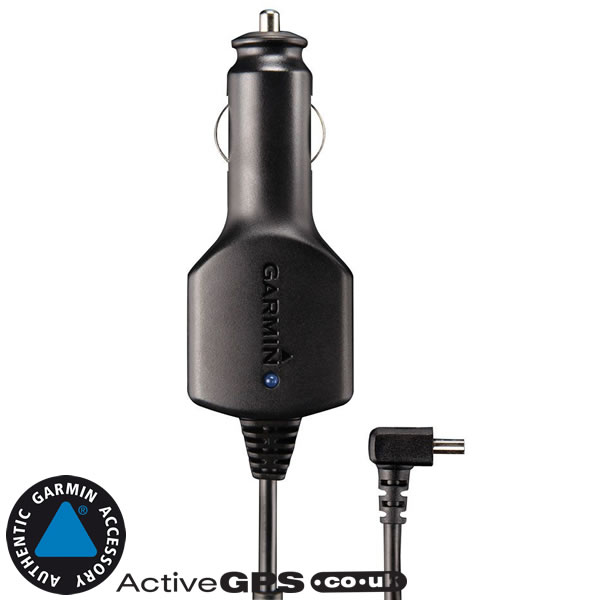
An external traffic receiver may be included in your Garmin automotive device with the vehicle’s power cable, which is embedded in the device. Users can receive FM radio signals with information about upcoming traffic on the device’s map via this receiver.
How To Fix Your Garmin Traffic
Drivers can navigate congested highways more efficiently if they have access to real-time traffic information thanks to Garmin devices. The good news is that if your Garmin traffic is not working, you have a few options. Check to see if your Garmin device and Smartphone Link have received the most recent updates. Garmin recommends that you update your smartphone software and Smartphone Link at the same time to ensure the most up-to-date information is available. The next step is to restart your phone and Garmin device. Your traffic experience should improve as a result of this procedure. If that still does not work, close all other applications on your phone and restart your Garmin device. It should correct the traffic settings in order to improve your experience.
Is Garmin Live Traffic Free?
There is no definitive answer to this question as it depends on the model of Garmin device that you have and the specific features that it offers. However, in general, Garmin Live Traffic is not a free service and users will need to subscribe to it in order to receive real-time updates on traffic conditions.
Garmin and INRIX, leaders in traffic intelligence, have joined forces to provide live traffic information on the DAB (Digital Audio Broadcast) network in real time. The new generation of Garmin 3D Traffic Live, which will be released in the coming months, will provide customers with free access to fully featured live traffic information. Garmin’s new technology will be available in the United Kingdom for the first time in its market. INRIX gathers data from over 100 million vehicles and devices per day to provide traffic and driving-related insight. At the IFA in Berlin, there will be a demonstration of the service for the first time. GPS technology is currently used in the vast majority of these products, which have been designed, manufactured, marketed, and sold by this group of companies since 1989. Garmin products are used in automobiles, mobile devices, wireless, outdoor recreation, marine, aviation, and original equipment manufacturer (OEM) applications. While we try to make forward-looking statements, we cannot guarantee their accuracy.
If you’re looking for a navigator that will keep you up to date on your travels, look no further than the Garmin Drive 52 GPS navigator. Live traffic data, map updates, and driver alerts are all provided by this device, making it simple to stay safe while driving. Furthermore, because of its large, bright display, it makes viewing it on the go simple. Whether you’re driving to your vacation destination or going to the grocery store, the Garmin Drive 52 is an excellent navigator for the job.
Garmin Drive: The Smart Way To Stay Informed
It’s simple to stay up to date on what’s going on around you, whether you’re at home or on the move. You can connect your device to the internet and receive live data, such as traffic updates, using the Smartphone Link app. This can be extremely useful in keeping traffic moving and ensuring that you arrive at your destination on time.
Is Garmin Traffic Any Good?
Garmin traffic is a good way to get traffic updates. It can help you avoid traffic jams, and it can also help you find the shortest route to your destination.
The frequency and variety of traffic data received by Garmin must be considered in order for the company to maintain traffic accuracy. HD Digital Traffic can be updated on a regular basis, with the most recent being every 30 seconds. Live traffic service updates are made every two minutes. When there are sudden changes in traffic or accidents, this service is likely to be the most useful. Every five minutes, Garmin’s HD Digital Traffic service gathers traffic information from 7,000 data points. This service sends billions of traffic messages to Garmin devices each month. TomTom’s HD Traffic service has a leg up on Garmin’s because it displays the location more efficiently.
How Does Garmin Get Live Traffic?
We obtain our traffic information from a variety of sources, the most significant of which are historical traffic data from around the world. Garmin smartphone apps detect real-time traffic in real time. The data from our partners is used to provide information on our fleet management systems and government policies.
What Is The Difference Between Digital Traffic And Live Traffic?
With Digital Traffic, your device can recognize queue lengths that exceed 100 meters, with accuracy of up to ten meters. The accuracy of Live Traffic is guaranteed to be within 100 milliseconds.
Do I Have To Pay For Garmin Traffic?
If you already have a free lifetime traffic subscription on your device, you won’t have to purchase a new subscription. The instructions to activate your free HERE Lifetime Traffic subscription will be in the Activate the Free HERE Lifetime Traffic Subscription that Came with My GPS Device section of this site.