
Mac OS X Instructions
Charge your inPulse for 30-45 minutes before using it for first time. Keep your watch within 30cm of your computer while following these instructions.
Ensure that you have the current Pulse SDK.
Download the SDK zip file and unzip it.Pair with inPulse and record Bluetooth address
Compile and load your first app
Sending a Test Message
Explore the examples/ directory
Congratulations! You've successfully compiled, loaded and tested a watchapp on your inPulse smartwatch. Where do you go from here? Explore the examples/ directory in the Pulse SDK. To compile a different app, copy an.c file into the /src/ and run 'compileandload.py' again. For example, you can now try

Scan for nearby bluetooth devices and pair with inPulse. The pairing code is the last 4 digits of the watch name.
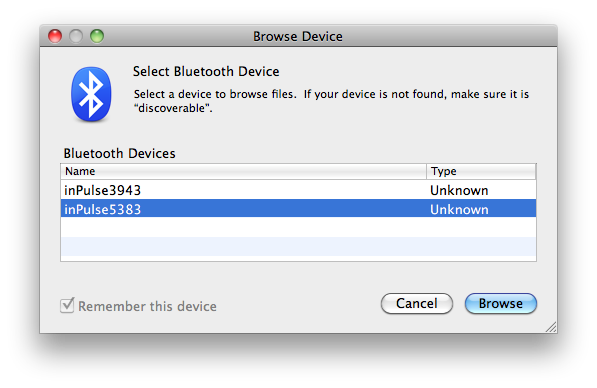
Click the Apple symbol in the upper-left hand corner of the screen and select "About This Mac". Launch the System Profiler tool by pressing the "More Info" button in the pop-up window. Expand the "Hardware" drop down list then click on "Bluetooth" to view the watch's Bluetooth address. Record this address (it should be in the form 00:50:c2:79:xx:xx). Note: you cannot copy and paste the Bluetooth address since it is in the wrong format.

Open a new terminal window and navigate to the pulse_sdk root directory.
| cd ~/Downloads/pulse_sdk |
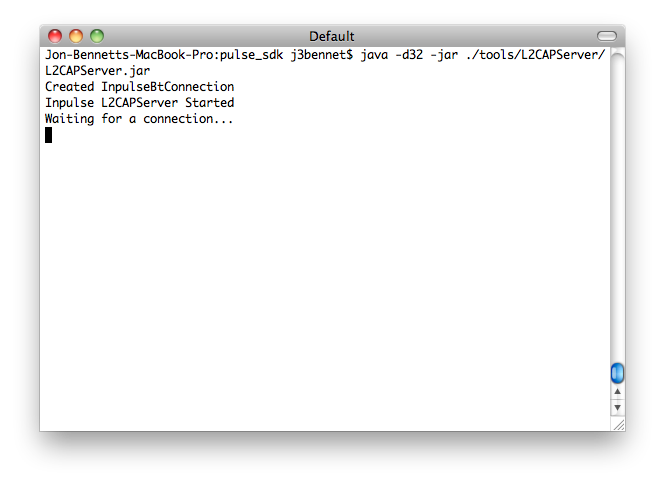
Start the L2CAP Server to enable Bluetooth communication with inPulse
| java -d32 -jar ./tools/L2CAPServer/L2CAPServer.jar |
 |
In a new terminal window, navigate to the directory containing the python script 'compileandload.py'
| Example: cd ~/Downloads/pulse_sdk |
Run the python script passing in the -d flag and the Bluetooth address you recorded in Step 2.
| python compileandload.py -d 00:50:c2:79:xx:xx |
In a terminal navigate to the directory containing the python script testmsg.py.
| cd pulse_sdk/ |
Run the testmsg.py script with the Bluetooth address you recorded in Step 2. Message text can optionally be sent by passing the -m flag and a string in quotes following the bluetooth address.
| python tools/send_test_msg.py 00:50:c2:79:xx:xx -m "Hello Watch" |
| rm src/*.c |
| cp examples/api_examples/hello_world.c src/ |
| python compileandload.py -d 00:50:c2:79:xx:xx |
The first command cleans your src/ directory. The second command copies the hello_world.c example code into src/ and the third command compiles and loads hello_world.c onto your watch!